Starting Price
$49/mo
Rating
8/10
Best For
SEO agencies, Content teams
Category
SEO Content Optimizer
Pros & Cons
Pros
- ✓ Industry-leading NLP term analysis
- ✓ Content Score correlates well with rankings
- ✓ Google Docs and WordPress integrations
- ✓ SERP Analyzer provides deep competitor insights
- ✓ Content Audit identifies optimization opportunities
Cons
- ✗ More expensive than Frase at $49/mo vs $15/mo
- ✗ NLP suggestions can feel overly prescriptive
- ✗ No built-in AI writing (relies on Surfer AI add-on)
- ✗ Keyword research features are limited
We ran Surfer SEO across 50+ articles over four months, testing it on everything from high-competition product roundups to long-tail informational posts. We tracked Content Scores, monitored ranking changes, and stress-tested the SERP Analyzer against manual competitive analysis. This review is built on that experience, not a weekend trial.
What Is Surfer SEO?
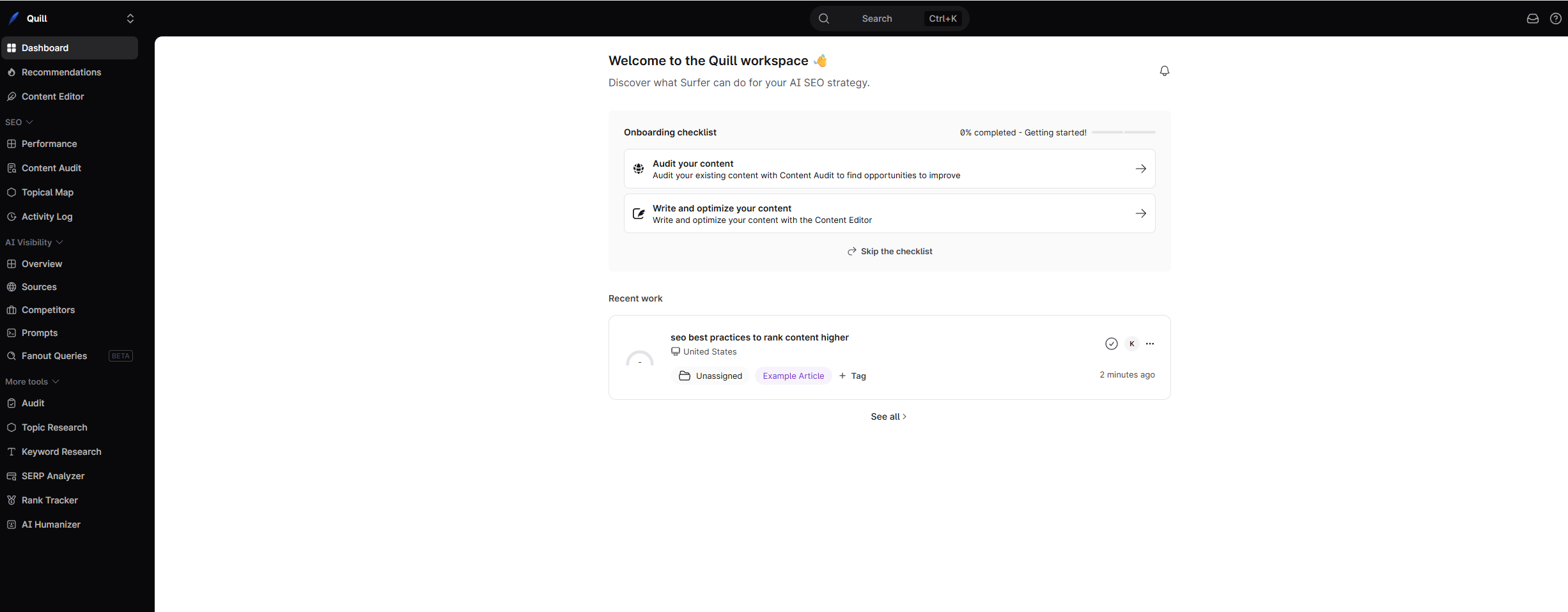
Surfer SEO is a content optimization platform that uses NLP (natural language processing) and SERP data to tell you exactly what a piece of content needs to rank. You feed it a target keyword, and it analyzes the top-ranking pages to generate a set of data-backed recommendations — which terms to include, how long the article should be, how many headings to use, which images to add, and more.
The core idea is simple: reverse-engineer what Google already rewards for a given query, then give writers a concrete blueprint to match or exceed that standard. Where Surfer separates itself from competitors is the depth and accuracy of that analysis. The NLP term suggestions go beyond basic keywords into semantically related entities and concepts, and the Content Score — a 0 to 100 rating for your draft — has become something of an industry benchmark.
Surfer launched in 2017 and has grown into one of the most widely used content optimization tools among SEO agencies and in-house teams. If you’ve worked in SEO content in the last few years, you’ve almost certainly encountered a Content Score at some point.
Who Is Surfer SEO For?
Surfer fits a specific profile well and others less so:
- SEO agencies that need to prove to clients that content is optimized. The Content Score is a clear, quantifiable deliverable that clients understand.
- In-house content teams publishing at volume who need a standardized process for ensuring quality and topical completeness across writers.
- Freelance SEO writers who want to deliver measurably optimized content and justify premium rates.
Where Surfer is less ideal: solo bloggers publishing a handful of articles per month may find the $49/mo starting price a step up from cheaper alternatives. If cost is your primary concern and you publish infrequently, tools like Frase at $15/mo offer a more affordable entry point with overlapping capabilities.
Core Features Deep-Dive
Content Editor
The Content Editor is the heart of Surfer and the feature you’ll spend the most time in. It works like this: you enter a target keyword, Surfer analyzes the top-ranking pages, and you get a writing environment with a real-time Content Score, NLP term suggestions in the sidebar, and structural guidelines (word count, heading count, paragraph count, image count).
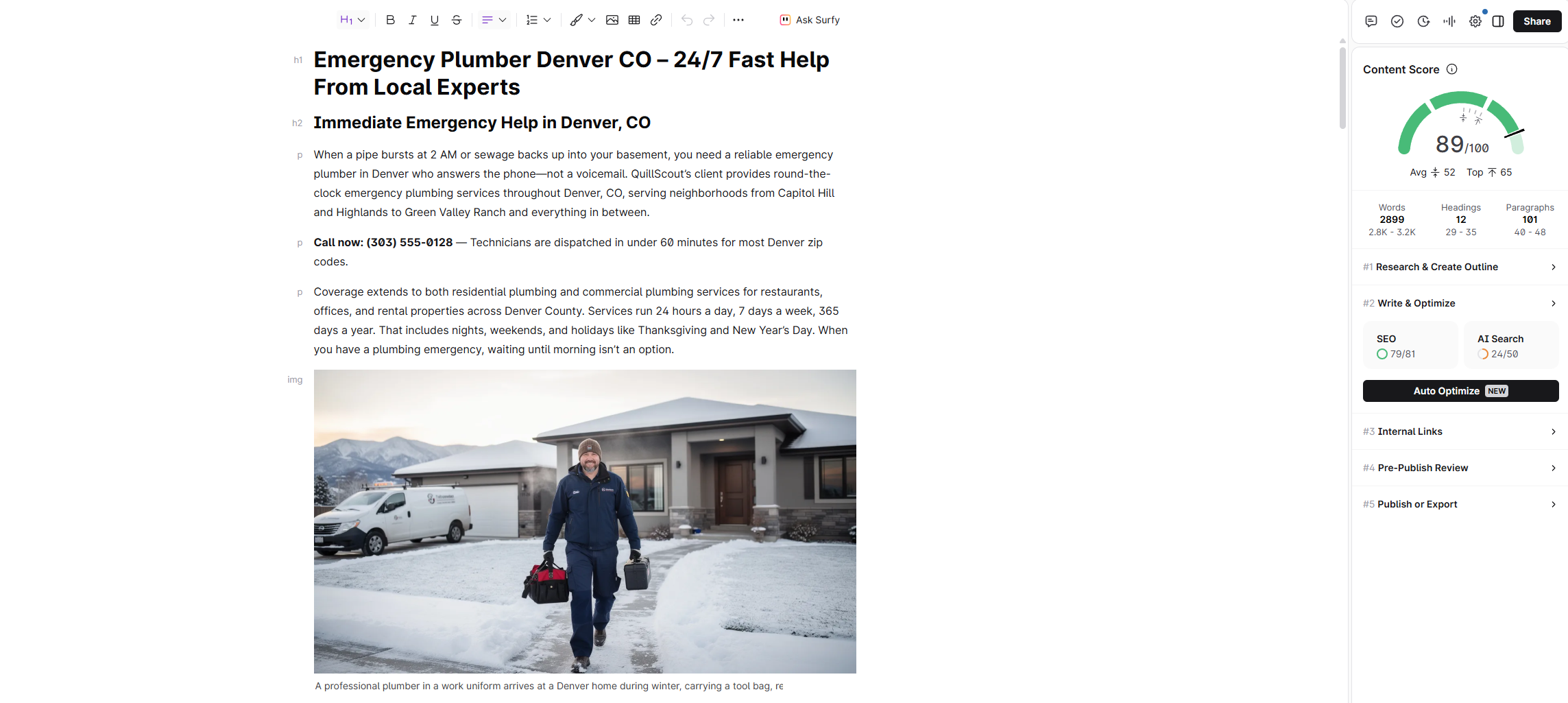
Here’s the Content Editor in action on a local SEO article, showing real-time optimization as you write:
As you write or paste in content, the Content Score updates in real time. Terms in the sidebar shift from red to green as you incorporate them. The target ranges for structure metrics (word count, headings, etc.) are derived from what’s currently ranking, so they adjust per keyword rather than using one-size-fits-all rules.
In our testing, the NLP term analysis was genuinely impressive. For a keyword like “best project management software,” Surfer didn’t just suggest obvious terms like “Asana” and “Trello” — it surfaced entities like “Gantt chart,” “resource allocation,” “time tracking integration,” and “workflow automation” that we might have missed in a manual pass. The suggestions reflect what top-ranking content actually covers, not just keyword variations.
The Content Score itself proved reliable over our four-month test. Articles we pushed above a score of 70 consistently outperformed those we left in the 50-60 range, controlling for other variables as best we could. It’s not magic — a high Content Score won’t overcome thin content or a weak domain — but it’s a meaningful signal that your topical coverage is competitive.
One practical note: the Google Docs and WordPress integrations are well-built. The Google Docs add-on mirrors the sidebar experience from the web editor, which means writers who live in Docs don’t need to switch tools. The WordPress plugin lets you optimize directly in the block editor. Both integrations worked reliably across our team without the sync issues we’ve experienced with competing tools.
SERP Analyzer
The SERP Analyzer is Surfer’s competitive intelligence feature. Enter a keyword and it pulls detailed data on every page ranking in the top 50, including word count, heading structure, NLP term usage, page speed, referring domains, and more.

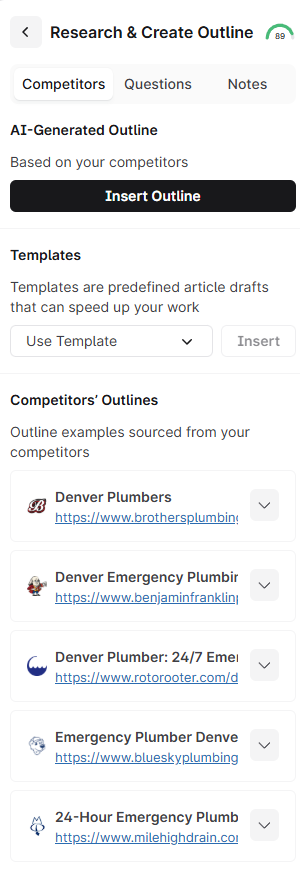
Watch how Surfer generates a content brief from SERP analysis for a local plumber keyword:
What makes this genuinely useful is the visualization. Surfer plots correlation data showing you which factors correlate with higher rankings for that specific keyword. You can see at a glance whether longer content tends to rank better, whether pages with more headings outperform, and which NLP terms appear most frequently in the top 10 versus positions 11-50.
We used the SERP Analyzer heavily for competitive analysis before writing, and it consistently surfaced patterns that weren’t obvious from manually reviewing search results. For example, on one keyword we discovered that every page in the top 5 included a comparison table — a structural element none of us had planned to include in our outline.
The caveat: some of the correlation data can be misleading if you take it too literally. Correlation isn’t causation, and Surfer occasionally highlights structural factors that are coincidental rather than causal. Use it as directional input, not gospel.
Content Audit
Content Audit is a feature that analyzes your existing published pages and tells you what to change to improve rankings. You connect your Google Search Console data, point Surfer at a URL and keyword, and it generates a list of specific recommendations — terms to add, sections to expand, structural changes to make.
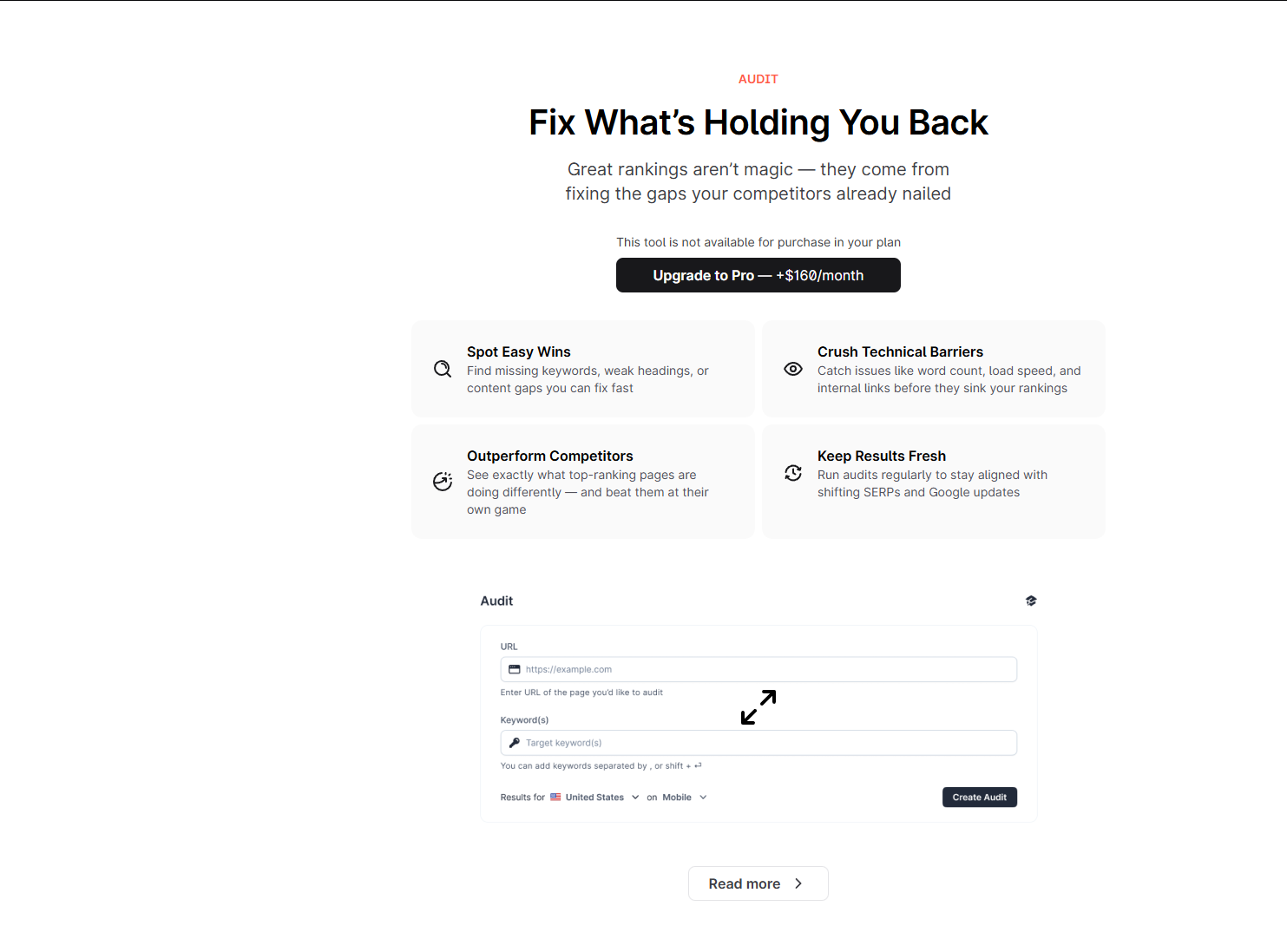
We ran Content Audits on 15 existing articles and found the recommendations actionable about 80% of the time. The tool correctly identified missing subtopics, suggested NLP terms we hadn’t covered, and flagged structural gaps (like missing H2s for important subtopics). The other 20% of suggestions were either redundant or would have resulted in keyword stuffing if followed blindly.
The real value of Content Audit is efficiency. Manually re-analyzing a published article against current SERP data takes 30-45 minutes. Surfer does it in under a minute and gets you most of the way there. For teams managing large content libraries, this is a significant time saver when running quarterly content refreshes.
Keyword Research
Surfer includes a keyword research module, but we’ll be direct: it’s the weakest feature in the platform. You can discover related keywords, see search volume estimates, and find keyword clusters, but the data doesn’t match the depth or accuracy of dedicated tools like Ahrefs or Semrush.
The keyword clustering feature is the most useful part — it groups related keywords that can be targeted with a single page rather than separate articles. This is helpful for content planning, and it’s reasonably accurate. But for actual keyword difficulty analysis, search volume trends, and competitive gap analysis, you’ll still need a standalone keyword tool.
We treated Surfer’s keyword research as a supplementary feature and didn’t rely on it for editorial planning. If you’re expecting it to replace your keyword research tool, you’ll be disappointed.
Surfer AI
Surfer AI is an add-on that generates full articles using Surfer’s NLP data and optimization framework. You enter a keyword, choose a tone, select an outline, and Surfer AI produces a complete draft that’s already optimized against the Content Editor guidelines.
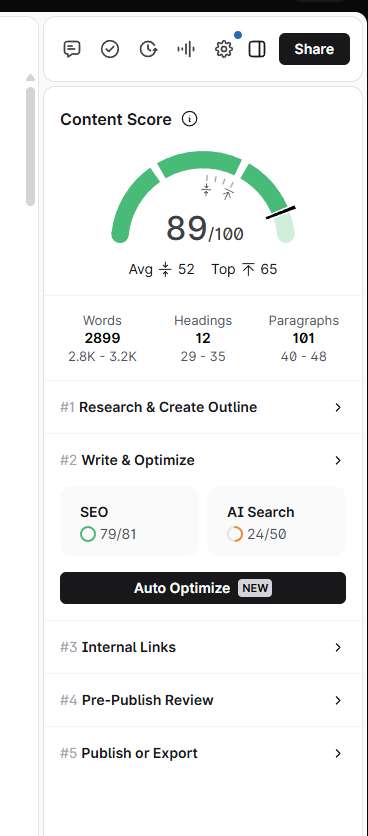
The output quality is acceptable for informational content — definitions, feature explanations, and structured comparisons. It produces content that scores well in the Content Editor out of the box (typically 70-85 range). But the writing itself reads like competent AI output: correct but flat, thorough but lacking personality.
We used Surfer AI to generate first drafts for straightforward articles and then spent 30-60 minutes per piece adding original analysis, restructuring sections, and injecting voice. That workflow produced usable content faster than writing from scratch, but the “just click publish” promise doesn’t hold up if you care about content quality.
Surfer AI is priced per article ($29/article at time of writing) rather than included in the subscription, which adds up quickly at scale. For teams publishing 20+ articles per month, the per-article cost needs to be weighed against hiring writers or using a separate AI writing tool.
Pricing Breakdown
Surfer SEO’s pricing reflects its positioning as a professional-grade tool (pricing as of early 2026):
| Plan | Price | Content Editors | Content Audits | Key Features |
|---|---|---|---|---|
| Discovery | $49/mo | 30/mo | 20/mo | Content Editor, SERP Analyzer, NLP analysis |
| Scale | $129/mo | 100/mo | 40/mo | Everything in Discovery + audit capabilities, team sharing |
| Scale AI | $219/mo | 100/mo + 10 AI articles | 40/mo | Everything in Scale + Surfer AI credits |
| Enterprise | Custom | Custom | Custom | Priority support, API access, custom onboarding |
Annual billing saves roughly 17% across all plans.
The $49/mo starting price is mid-range — more accessible than the old $89/mo Essential plan, but still a step up from Frase at $15/mo. The Discovery plan makes Surfer viable for smaller teams who previously couldn’t justify the cost, though freelancers on tight budgets may still find Frase’s entry point more comfortable. For agencies billing clients for SEO services, the cost is a no-brainer.
What We Liked (Expanded)
The Content Score is the most trustworthy optimization metric we’ve tested. After four months and 50+ articles, the correlation between higher Content Scores and better ranking performance was consistent enough that we now treat it as a standard KPI for content production.
NLP term suggestions go deeper than any competitor. Surfer doesn’t just give you keyword variations — it surfaces semantic entities and concepts that reflect how top-ranking content covers a topic. This leads to genuinely more comprehensive articles.
Integrations that actually work. The Google Docs and WordPress add-ons are stable, responsive, and mirror the full Content Editor experience. Our writers used the Docs integration daily without issues.
SERP Analyzer surfaces non-obvious insights. The correlation data and structural analysis consistently helped us identify content patterns we would have missed with manual research.
Content Audit pays for itself in time savings. Running content refreshes across a large library is dramatically faster with Surfer’s audit tool than doing it manually.
What Could Be Better (Expanded)
Still pricier than the budget alternatives. At $49/mo, the Discovery plan is more reasonable than the old $89/mo entry point, but it’s still over three times what Frase charges. If you’re only publishing 2-3 articles per month, the per-article cost adds up compared to cheaper options.
NLP suggestions sometimes push toward over-optimization. Surfer’s term list can be aggressive. Blindly chasing a perfect score by cramming in every suggested term leads to awkward, keyword-stuffed paragraphs. We learned to treat the suggestions as a checklist to review, not a set of requirements to satisfy completely.
Keyword research is an afterthought. It feels like Surfer added keyword research to tick a box rather than building a competitive feature. You’ll still need Ahrefs, Semrush, or a similar tool for serious keyword strategy.
Surfer AI is expensive at scale. $29 per article is manageable for a few pieces, but at 20+ articles per month, you’re adding $580/mo on top of the subscription. That money might be better spent on freelance writers who can produce content with genuine expertise and voice.
How Surfer SEO Compares to Alternatives
Surfer SEO vs. Frase: Frase wins on price ($15/mo vs. $49/mo) and content brief generation. Surfer wins on NLP analysis depth, Content Score reliability, and integrations. The gap has narrowed with Surfer’s new Discovery plan, but Frase still costs a third of the price. If you’re choosing one, the decision often comes down to budget and workflow. Agencies with budget choose Surfer for the optimization edge. Cost-conscious teams choose Frase for the brief generation. We break this down fully in our Frase vs Surfer SEO comparison.
Surfer SEO vs. Outranking: Outranking offers a more automated, end-to-end workflow — from keyword research through writing and optimization to SERP tracking. Surfer is more focused on the optimization layer specifically and does it better. If you want a single tool for the entire content workflow, Outranking is worth evaluating — but Surfer remains the stronger choice for pure content optimization.
For teams evaluating brief generation tools specifically, our AI SEO brief generators for agencies roundup covers how Surfer’s brief capabilities compare to dedicated alternatives.
Final Verdict
Surfer SEO earns an 8/10. It does content optimization better than anything else on the market, and the Content Score has become a de facto industry standard for a reason. The SERP Analyzer and Content Audit features add genuine strategic value beyond basic optimization, and the Google Docs and WordPress integrations make it practical for real production workflows.
The 2 points it loses come from pricing and scope. At $49/mo, the new Discovery plan is more accessible than before, but it’s still a step up from budget alternatives like Frase. And the keyword research module and Surfer AI add-on feel like they’re playing catch-up rather than leading.
Our recommendation: if you’re an agency or content team publishing 10+ optimized articles per month, Surfer SEO is worth every dollar. Pair it with a dedicated keyword research tool and either your own writers or a separate AI writing tool, and you have a content production system that consistently produces rankable work. If you’re publishing fewer than 5 articles per month or working on a tight budget, start with Frase and upgrade to Surfer when your content operation scales to justify it.
Pricing and features verified as of March 2026. Surfer SEO updates its plans periodically — check their pricing page for the latest. This review reflects our hands-on experience over 4 months and may include affiliate links that support QuillScout at no additional cost to you.
Our Verdict
Surfer SEO is the gold standard for data-driven content optimization. If you're an agency selling SEO services or a content team that needs quantifiable proof that content is optimized, Surfer's Content Score is the most reliable metric in the industry. The $49/mo price tag is justified if you're publishing 10+ articles per month.
This review contains affiliate links. See our affiliate disclosure for details.